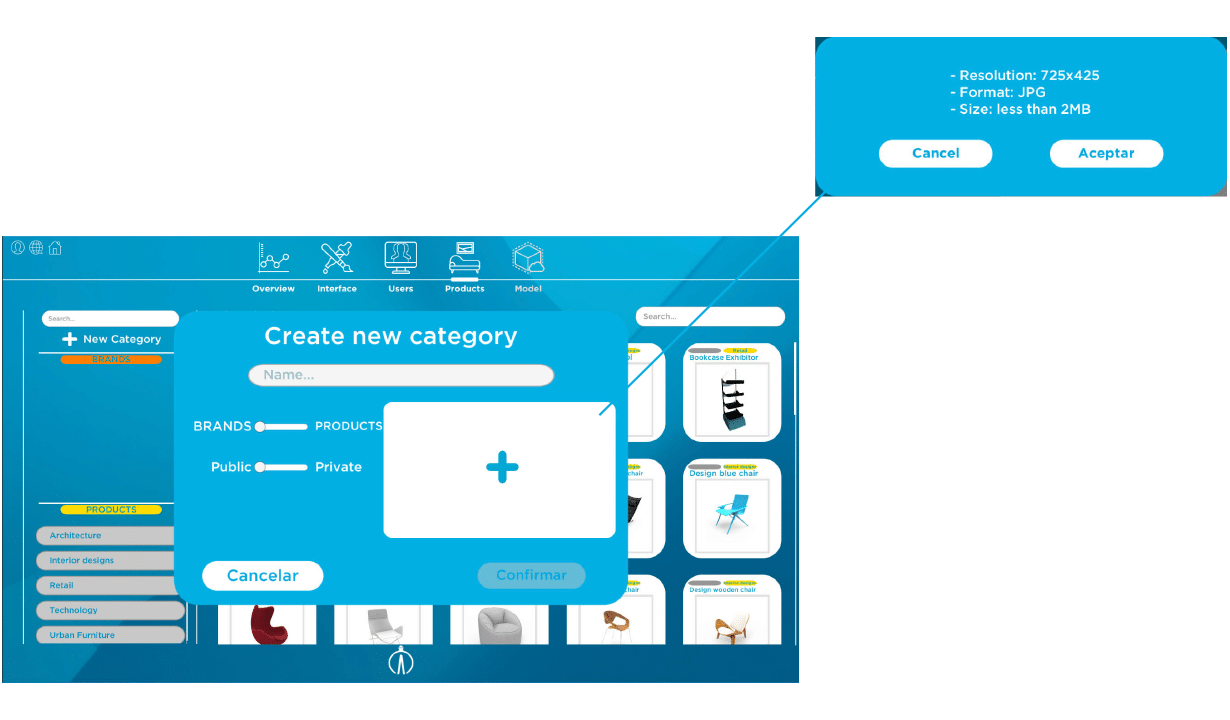
When you click in the button of adding a new category, it appears a window to create it.
You must introduce category name, in which will be located all the tagged products. In addition to that, it will be necessary to define if the product belongs to the brand subgroup or product subgroup, and if it will be public or privet —for which a previously selected department or group of them will have accessed—.
Furthermore, you must add an imagen that allows the category to be identify in Alice App. You must meet technical specifications: 725 x 725 resolution, JPG format and a size less than 2MB.