
Once a commercial has logged in they acces to their products catalog, which will be sorted according their needs.
In the same way any commerce will be able to customice its catalog, being able to offer suggestion to its clients, about specific products.
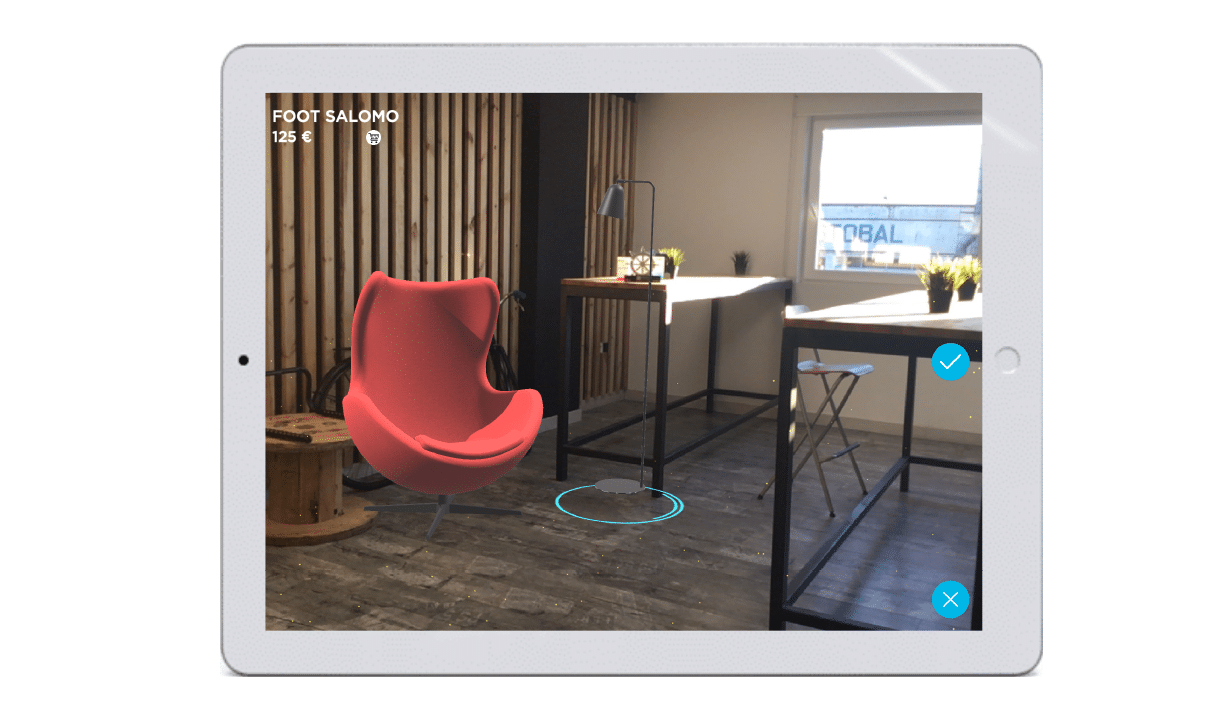
To select the specific item to be visualized you just have to touch it and it will be displayed in the center of screen.

Once the product is fixed, it appears the catalogue icon on the screen to go into it and select a new product to add on the scene. This option allows visualize different objects at the same time in just one scenario.
With this option, the user will be able to order all products in alphabetical order from A-Z or vice versa.
Besides this option, however, the user will be able to manage this arrange products from Alice self-managed platform too, establishing the criteria that best serves user’s needs.

At the bottom right of each image, an arrow which allows you to download the product will be displayed.
Downloading the products is an advantage because, when saved in the App, they can be viewed at any time, without the need to be connected to a network or depend on its good functioning or connection quality. It is important to use the download option as it will significantly improve the operation of the application, allowing you to take advantage of its full potential.
In the event of user of Alice is a it won’t be possible through e-commerce to download the item and to keep them in the memory of the app since they will only be charged if the device is connected to the Internet.

* Note: When downloading the products, the application will take up more space on the device.

