
When opening the application, the device’s camera opens and four options are displayed:

The icons are fully customizable.
Log in
This option allows different users to access their own online catalogs by entering an email and a password which each of them will be assigned.

Demo catalog
In case you are not registered, our application includes a demo catalog.
This option allows you to test the application in different areas and with different objects.
It is recommended to fully download the catalogs, this way they will be saved in the application, improving its performance and facilitating its visualization, regardless whether your device is not connected to the internet.

Back
When clicking on the return icon, a message appears on the screen in order to ensure that the user has not pressed by mistake and really wants to remove from the scene all the furniture or objects that have been placed so far.

Screenshot
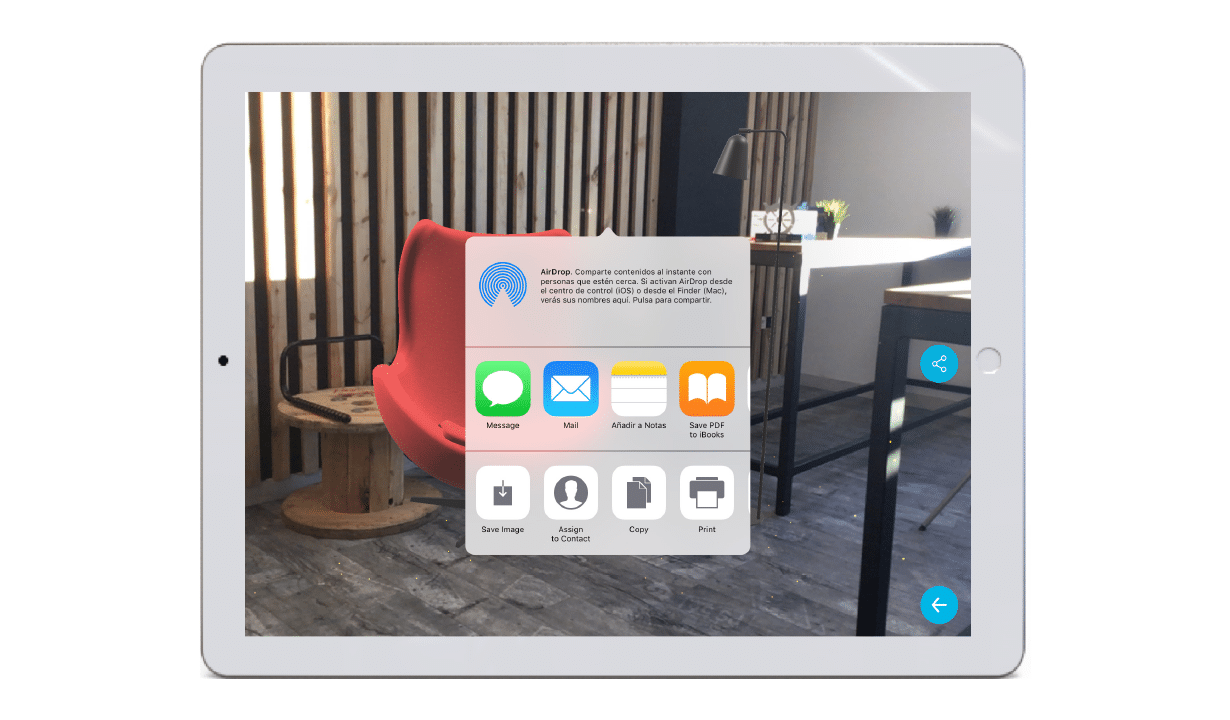
When pressing this option the device captures the image that appears at that moment on the screen. Once captured, the application allows you to go back or share it with your contacts.
It is possible to save the screenshot in the device or share it via mail, message or social networks. In this way you can send your business proposals to your clients, check at any time what your choices are like, compare several ideas or even consult them with your acquaintances.
Video capture
By clicking this option, the device starts recording the scene instantly. To stop recording, the user should be pressed again on the screen. Once you have the video capture, Alice allows you to visualize it, save it, share it with your contacts or go back.
It is also possible to save the video capture in the video gallery or share it via email, message or social networks. This ensures you to send your sales offers to your clients, to consult how your choices look at all times, to compare some new ideas or to consult them with your friends, family, colleagues,…


